
1、省市区选择V - Distpicker
npm install v-distpicker --save官网:https://distpicker.pigjian.com/
2、拖拽组件
npm install vue-slicksort --savegithub:https://github.com/Jexordexan/vue-slicksort
Demo:https://jexordexan.github.io/vue-slicksort
3、创建思维导图
npm install bi-vue-mindmap --save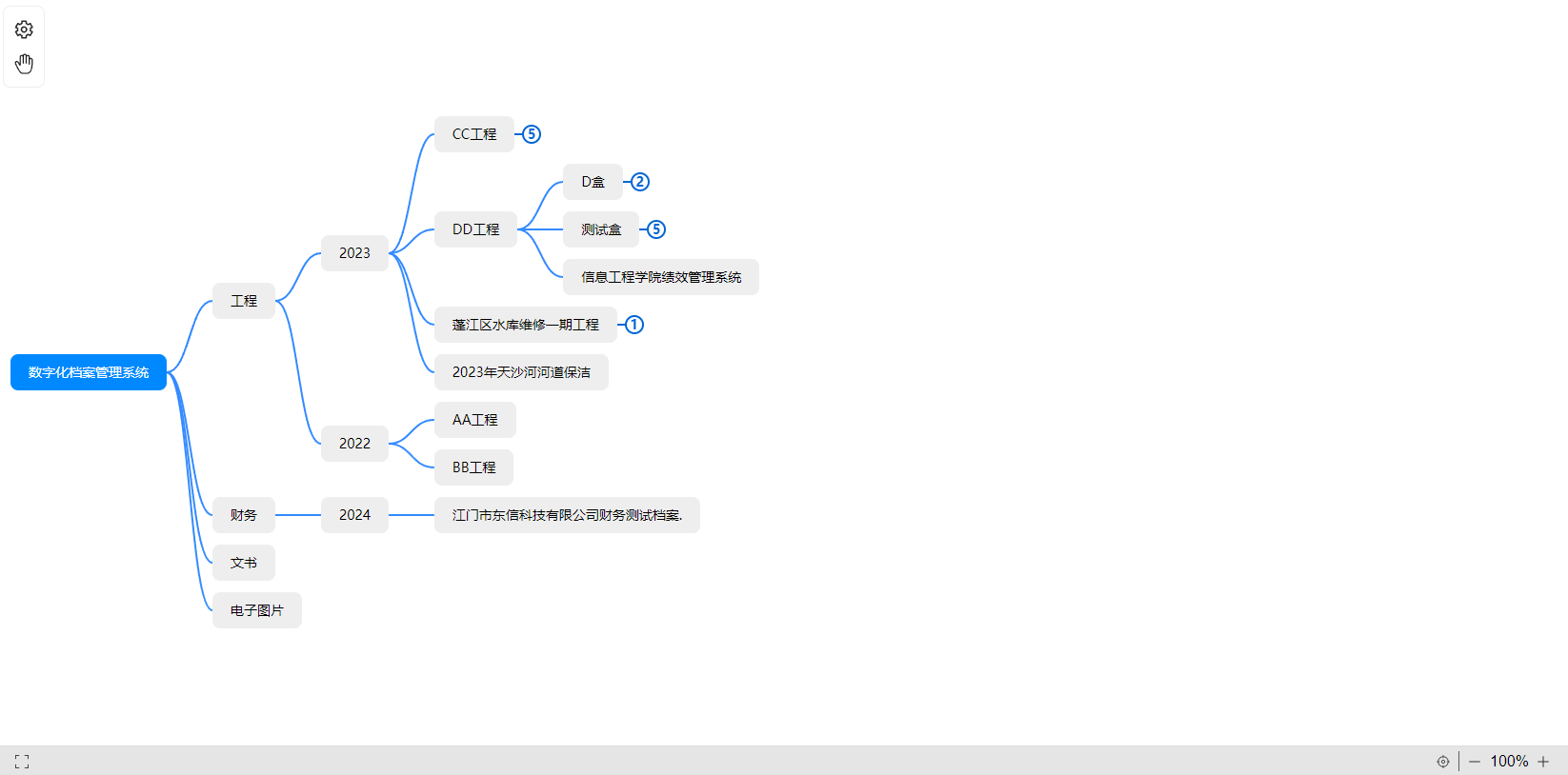
https://www.npmjs.com/package/bi-vue-mindmap?activeTab=readme
4、页面转图片
npm install html2canvas --savehttp://html2canvas.hertzen.com/getting-started
5、el-table表格拖拽
安装组件
npm install vuedraggable;
npm install sortablejs;
使用
import Sortable from 'sortablejs'mounted(){
this.$nextTick(() => {
this.drag();
});
},
methods:{
drag() {
const el = document.querySelectorAll(
".el-table__body-wrapper > table > tbody"
)[0];
Sortable.create(el, {
forceFallback: true,
disabled: false, // 拖拽不可用? false 启用
//ghostClass: 'sortable-ghost', //拖拽样式
dragClass: 'sortable-ghost',//拖放时的DOM节点的class名称,可在此class下定义相应的样式
animation: 150, // 拖拽延时,效果更好看
onEnd: (e) => { // 拖拽结束时的触发
console.log(e)
},
});
},
}CSS(处理拖拽时背景透明不美观)
::v-deep .sortable-ghost {
	background-color: #fff !important;
	opacity: 1 !important;
	z-index: 99999;
	width: 100%;
	td{
		background-color: #fff !important;
		border:1px solid #dfe6ec;
	}
}
相关参数
group: "name", // or { name: "...", pull: [true, false, clone], put: [true, false, array] }
sort: true, //在列表内支持排序。 sorting inside list
delay: 0, // 时间以毫秒为单位来定义排序应该何时开始。 time in milliseconds to define when the sorting should start
touchStartThreshold: 0, // 像素,在多少像素移动范围内课取消延迟拖动事件。 px, how many pixels the point should move before cancelling a delayed drag event
disabled: false, // 如果设置为true,则禁用排序。 Disables the sortable if set to true.
store: null, // @see Store
animation: 150, // 毫秒,排序时移动物品的动画速度,`0`则表示无动画。 ms, animation speed moving items when sorting, `0` — without animation
handle: ".my-handle", // 列表项中拖动手柄选择,可以设置列表中item中的某个DOM节点为拖动的依据。 Drag handle selector within list items
filter: ".ignore-elements", // 选择不支持拖动的选择器(String或Function)。 Selectors that do not lead to dragging (String or Function)
preventOnFilter: true, // 触发`filter`时调用`event.preventDefault()`。 Call `event.preventDefault()` when triggered `filter`
draggable: ".item", // 指定元素中的哪些项应该是可拖动的。 Specifies which items inside the element should be draggable
ghostClass: "sortable-ghost", // 拖放时,提前预设DOM节点的class名称,可在此class下定义相应的样式。 Class name for the drop placeholder
chosenClass: "sortable-chosen", // 选中时的DOM节点的class名称,可在此class下定义相应的样式。Class name for the chosen item
dragClass: "sortable-drag", // 拖放时的DOM节点的class名称,可在此class下定义相应的样式。Class name for the dragging item
dataIdAttr: 'data-id',
forceFallback: false, // 忽略HTML5 DnD行为并强制回退使用。ignore the HTML5 DnD behaviour and force the fallback to kick in
fallbackClass: "sortable-fallback", //使用forceFallback时的克隆DOM元素的类名。 Class name for the cloned DOM Element when using forceFallback
fallbackOnBody: false, // 将克隆的DOM元素追加到Document中Body 。Appends the cloned DOM Element into the Document's Body
fallbackTolerance: 0, // 以像素为单位指定鼠标在被视为拖动之前应移动多远。Specify in pixels how far the mouse should move before it's considered as a drag.
scroll: true, // or HTMLElement
scrollFn: function(offsetX, offsetY, originalEvent, touchEvt, hoverTargetEl) { ... }, // 如果你有自定义滚动条scrollFn可用于自动滚动 。if you have custom scrollbar scrollFn may be used for autos
6、生成二维码
安装
npm install qrcodejs2 --save使用
<template>
  <div>
    <!-- 二维码容器 -->
    <div id="qrcode" ref="qrcode"></div>
    <!-- Element UI 按钮触发下载 -->
    <el-button type="primary" @click="downloadQrcode">下载二维码</el-button>
  </div>
</template>

<script>
import QRCode from 'qrcodejs2'

export default {
  data() {
    return {
      qrCodeContent: 'https://www.example.com' // 二维码内容
    }
  },
  mounted() {
    this.generateQrcode()
  },
  methods: {
    // 生成二维码
    generateQrcode() {
      // 先清空容器,避免重复生成
      this.$refs.qrcode.innerHTML = ''
      new QRCode(this.$refs.qrcode, {
        text: this.qrCodeContent, // 二维码内容
        width: 200, // 宽度
        height: 200, // 高度
        colorDark: '#000000', // 前景色
        colorLight: '#ffffff', // 背景色
        correctLevel: QRCode.CorrectLevel.H // 容错级别:L/M/Q/H
      })
    },
    // 下载二维码(将canvas/img转为base64后下载)
    downloadQrcode() {
      const qrcodeEl = document.getElementById('qrcode')
      const img = qrcodeEl.querySelector('img') || qrcodeEl.querySelector('canvas')
      if (!img) return this.$message.warning('二维码未生成')

      // 创建下载链接
      const a = document.createElement('a')
      a.href = img.src // base64地址
      a.download = '二维码_' + new Date().getTime() + '.png' // 下载文件名
      a.click()
      // 释放资源
      URL.revokeObjectURL(a.href)
    }
  }
}
</script>