
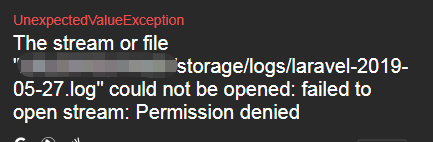
在部署Laravel应用时,时常会遇到因权限问题无法写入日志而报错的情况
Error in exception handler: The stream or file "/usr/site/laravel-app/app/storage/logs/laravel.log" could not be opened: failed to open stream: Permission denied in /var/www/laravel-app/bootstrap/compiled.php:8423
1.给storage和bootstrap/cache775权限
chown -R 775 storage
chown -R 775 bootstrap/cache2.清一下缓存和包自动发现
php artisan package:discover
php artisan config:clear
php artisan cache:clear
3.当系统为centos 7.6,查看SELinux的模式是否开了强制模式。
SELinux 共有三种模式如下:
Enforcing:强制模式,依据设定来限制档案资源存取。
Permissive:宽容模式,不限制档案资源存取,但仍会依据设定检查并记录相关讯息。
Disabled:停用模式,SELinux 已被停用。
默认为强制模式。
查看SELinux状态
sestatus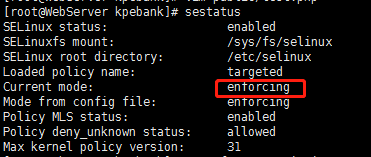
可以看见当前为强制模式,现在需要改为宽容模式:
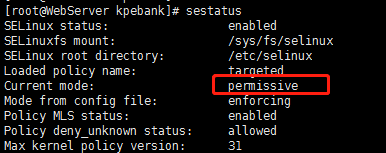
setenforce Permissive再次查看状态,现已变更为宽容模式
参考:
https://dotblogs.com.tw/echo/2017/06/19/linux_selinux_mode
https://zh.wikipedia.org/wiki/%E5%AE%89%E5%85%A8%E5%A2%9E%E5%BC%BA%E5%BC%8FLinux